How this process works
The point of sale records items, amounts, payment methods and cash movement. Provider authorization and actual receipt are separate events.
Reference map: This diagram explains the business process. Automatic execution depends on licensed modules, permissions, settings and the installed version.
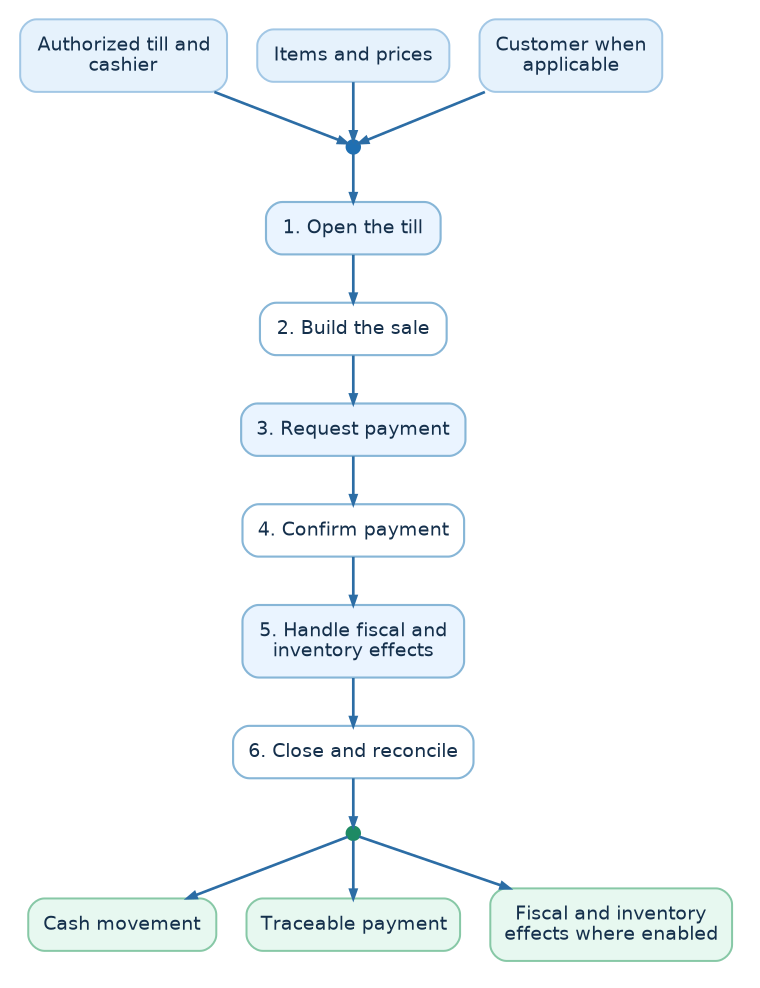
Where does the information come from?
- Authorized till and cashier
- Items and prices
- Customer when applicable
What does the process produce?
- Cash movement
- Traceable payment
- Fiscal and inventory effects where enabled
Process steps explained
- Open the tillVerify cashier permissions and starting cash.
- Build the saleAdd products, amounts and authorized discounts.
- Request paymentSelect a supported payment method and create the request.
- Confirm paymentVerify the real provider or cash outcome.
- Handle fiscal and inventory effectsApply the relevant tax and stock events once.
- Close and reconcileCompare totals and handle differences before closing.
Checks and special situations
- A demonstration payment is not a real financial transaction.
- Failed capture must not be treated as a paid sale.
- Checkout retries must not duplicate transactions.
- Cashier closing requires discrepancies to be resolved.
Important ruleA payment intent changes status only after a permitted and verified event.
Fields that explain this workflow
These identifiers are documentation proposals for future Shift+F1 integration. Publishing this page does not modify ERP fields or shortcuts.
| Field and key | Meaning | Source | Impact |
|---|---|---|---|
| Payment methodFIELD.PDV.CHECKOUT.PAYMENT_METHOD | Cash, card or another enabled method. | Customer choice and permitted methods. | Determines processing and reconciliation. |
| Amount dueFIELD.PDV.CHECKOUT.TOTAL | Total payable for the transaction. | Lines, discounts and allowed charges. | Sets the amount to collect. |
| Opening cashFIELD.PDV.CASH.OPENING_AMOUNT | Cash available when the till opens. | Cashier opening operation. | Supports end-of-shift reconciliation. |