How this process works
The Academy explains a business scenario and its workflow before inviting learners to complete a safe, guided exercise and learn from the outcome.
Reference map: This diagram explains the business process. Automatic execution depends on licensed modules, permissions, settings and the installed version.
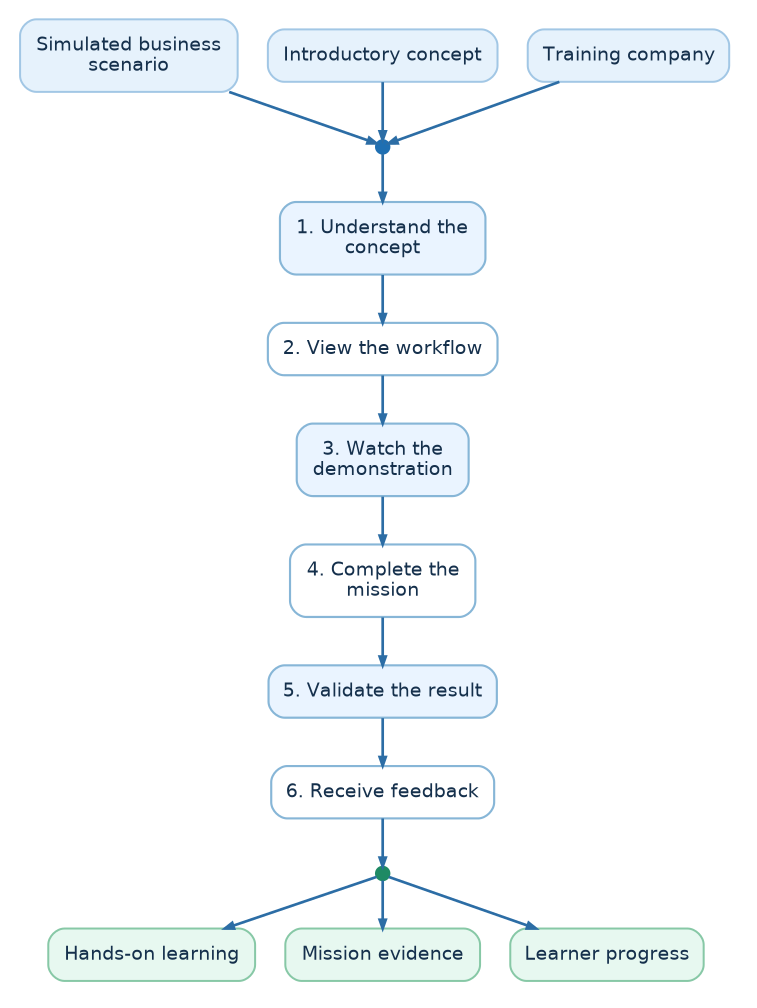
Where does the information come from?
- Simulated business scenario
- Introductory concept
- Training company
What does the process produce?
- Hands-on learning
- Mission evidence
- Learner progress
Process steps explained
- Understand the conceptExplain the business need in plain language.
- View the workflowShow where information starts and where it goes.
- Watch the demonstrationShow the task in the training ERP.
- Complete the missionPractice a limited and safe task.
- Validate the resultCompare the outcome with the expected evidence.
- Receive feedbackExplain what worked and what to review next.
Checks and special situations
- Exercises use training companies, not customer production data.
- A failed attempt must not erase past progress.
- Training does not grant access to unlicensed modules.
- Available exercises depend on the published training catalog.
Important ruleTraining content is separate from production data and grants no permissions.
Fields that explain this workflow
These identifiers are documentation proposals for future Shift+F1 integration. Publishing this page does not modify ERP fields or shortcuts.
| Field and key | Meaning | Source | Impact |
|---|---|---|---|
| Mission objectiveFIELD.TRN.MISSION.OBJECTIVE | Task the learner must complete. | Training curriculum. | Defines validation criteria. |
| Mission resultFIELD.TRN.MISSION.RESULT | Assessment of the completed task. | Exercise evidence. | Records progress without changing production data. |
| Learning progressFIELD.TRN.COURSE.PROGRESS | Completed stages of the learning path. | Validated missions. | Helps learners resume the course. |