How this process works
Collections start from a valid open receivable and follow commercial and privacy rules. Negotiation does not discharge a debt before confirmed payment.
Reference map: This diagram explains the business process. Automatic execution depends on licensed modules, permissions, settings and the installed version.
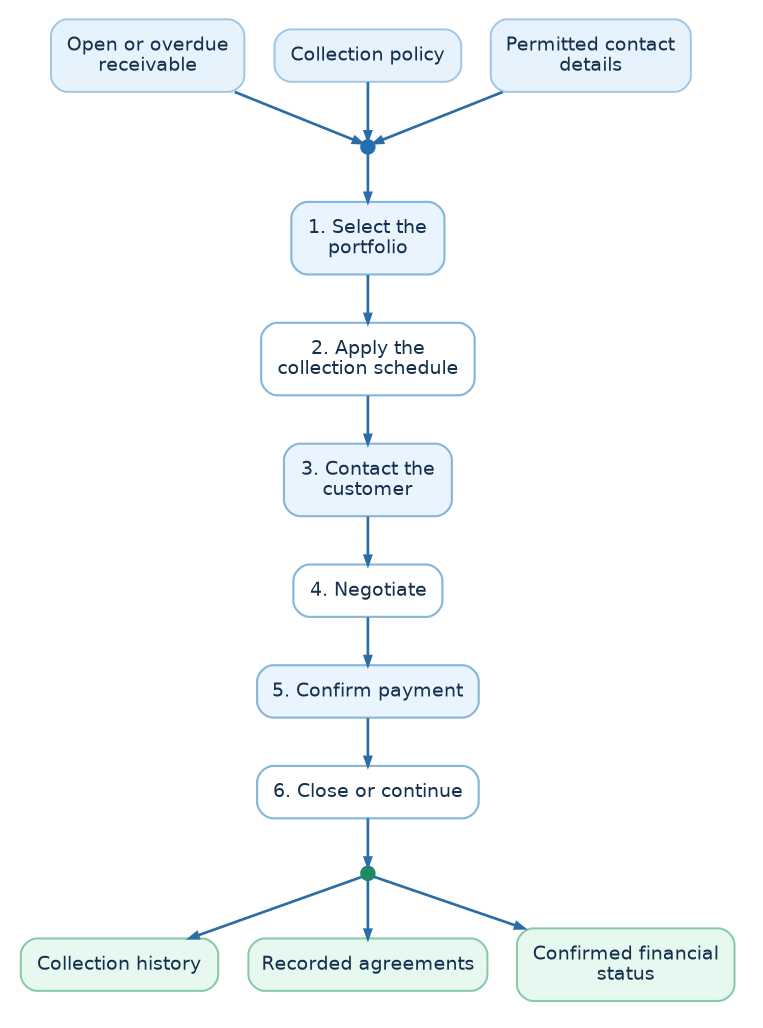
Where does the information come from?
- Open or overdue receivable
- Collection policy
- Permitted contact details
What does the process produce?
- Collection history
- Recorded agreements
- Confirmed financial status
Process steps explained
- Select the portfolioIdentify eligible open receivables.
- Apply the collection scheduleDetermine the permitted action and timing.
- Contact the customerUse allowed channels and respect opt-outs.
- NegotiateRecord authorized proposals and agreements.
- Confirm paymentCheck actual settlement or reconciliation.
- Close or continueUpdate the history and next action without deleting the original receivable.
Checks and special situations
- A promise to pay is not money received.
- Respect opt-outs and allowed channels.
- Rescheduling installments may require approval.
- Retries must not send duplicate messages.
Important rulePublic documentation never exposes debtors’ personal information.
Fields that explain this workflow
These identifiers are documentation proposals for future Shift+F1 integration. Publishing this page does not modify ERP fields or shortcuts.
| Field and key | Meaning | Source | Impact |
|---|---|---|---|
| Receivable under collectionFIELD.COL.CASE.TITLE | Open amount being pursued. | Accounts receivable portfolio. | Preserves the debt and source link. |
| Next actionFIELD.COL.CASE.NEXT_ACTION | Scheduled step in the collection process. | Approved collection policy. | Guides work without authorizing unwanted outreach. |
| Renegotiated due dateFIELD.COL.AGREEMENT.NEW_DUE_DATE | New date agreed with the debtor. | Approved negotiation. | Supports rescheduling without erasing history. |